Introduction to Microsoft’s Expanding Copilot Vision
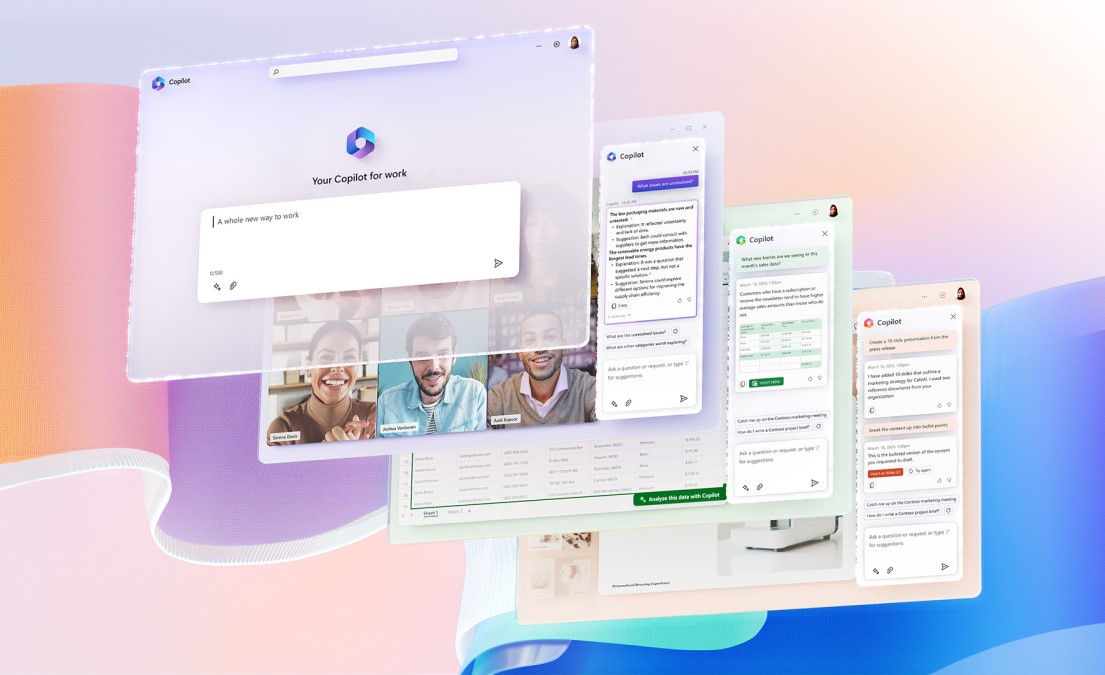
Microsoft Deepens AI Copilot Integration in Windows and Office Suite signals a major evolution in how people interact with their computers and productivity tools. With this update, Microsoft is moving AI from a helpful add-on to a built-in companion that works across devices, apps, and workflows.
At the center of this shift is Copilot—an AI assistant designed to understand context, anticipate needs, and help users get more done with less effort.
Why Microsoft Is Embedding AI Across Its Ecosystem
Modern work is complex. People juggle emails, documents, meetings, and data across multiple apps. By embedding AI deeply into Windows and Microsoft Office, Microsoft aims to reduce friction and cognitive load.
Instead of switching between tools, users can rely on AI to summarize, suggest, automate, and guide—right where the work happens.
Core Copilot Features in Windows
System-Level Assistance and Automation
Copilot in Windows acts as a system-wide assistant. Users can adjust settings, manage files, and perform tasks using natural language prompts. This turns complex system actions into simple conversations.
Smarter Search and Task Execution
Finding files, apps, or settings becomes faster and more intuitive. Copilot understands intent, not just keywords, helping users reach outcomes quickly.
Copilot Enhancements in the Office Suite
AI-Powered Writing and Editing
In Word and Outlook, Copilot helps draft documents, rewrite paragraphs, and summarize long emails. It adapts tone and length, making communication clearer and more efficient.
Data Analysis and Insights in Spreadsheets
In Excel, Copilot can analyze datasets, highlight trends, and generate formulas or charts from simple instructions. This empowers users who may not be data experts to gain insights quickly.
Smarter Presentations and Visuals
In PowerPoint, Copilot assists with slide creation, design suggestions, and content restructuring. Turning raw ideas into polished presentations now takes minutes instead of hours.
How Copilot Improves Everyday Productivity
By handling repetitive tasks and offering real-time guidance, Copilot frees users to focus on higher-value work. Common benefits include:
- Faster document creation
- Clearer communication
- Reduced manual data work
- Better organization and planning
The result is a smoother, more focused workday.
Benefits for Businesses and Enterprises
Organizations gain consistent productivity gains across teams. Copilot helps standardize quality, reduce onboarding time, and support decision-making with AI-driven insights. Integrated security and compliance features also make it suitable for enterprise environments.
Impact on Knowledge Workers and Creators
Writers, analysts, designers, and managers benefit from AI as a creative and analytical partner. Copilot doesn’t replace expertise—it amplifies it by handling groundwork and offering intelligent suggestions.
Comparison With Previous Office and Windows Experiences
| Before Copilot | With Copilot |
|---|---|
| Manual task execution | AI-assisted workflows |
| App-by-app productivity | System-wide intelligence |
| Time-consuming revisions | Instant suggestions |
| Steep learning curves | Natural language interaction |
This shift makes technology feel more supportive and less demanding.
Security, Privacy, and Responsible AI
Microsoft emphasizes responsible AI use, with safeguards around data privacy, access control, and transparency. Enterprise users retain control over data, while AI actions are logged and auditable.
Future Roadmap for Copilot
As Copilot continues to evolve, users can expect deeper personalization, stronger reasoning, and broader integration across Microsoft’s ecosystem. AI is set to become a long-term productivity partner rather than a short-term feature.
FAQs
Q1: Is Copilot available to all Windows and Office users?
Availability depends on version and subscription plans, with broader access rolling out gradually.
Q2: Does Copilot work offline?
Most advanced features require an internet connection for AI processing.
Q3: Can businesses control Copilot access?
Yes, IT administrators can manage permissions and data policies.
Q4: Will Copilot replace traditional Office features?
No, it enhances existing tools rather than replacing them.
Q5: Is user data used to train AI models?
Microsoft states enterprise data is protected and not used for model training without consent.
Q6: Will Copilot expand beyond Office and Windows?
Microsoft plans to extend Copilot across more products and services.
Conclusion
Microsoft Deepens AI Copilot Integration in Windows and Office Suite represents a bold step toward AI-first productivity. By embedding intelligent assistance directly into everyday tools, Microsoft is reshaping how people work—making tasks faster, smarter, and more intuitive while keeping users in control.